Endsight delivers strategic IT support tailored to your industry and backed by a strong regional presence. We understand how you operate and we build technology solutions that keep your team secure, productive, and positioned for growth.
Cyber threats are evolving. Data is growing. Teams are stretched thin. Endsight helps you stay protected with proactive cybersecurity, unlock smarter operations with AI and automation, and rely on managed IT that keeps your business running without disruption.
Most IT providers fix problems. Endsight prevents them. With proactive strategy, responsive support, and long-term technology planning, we help you reduce risk, eliminate downtime, and make smarter decisions about your IT investments.
Endsight was built on long-term relationships, proactive service, and doing what’s right for our clients. We combine technical expertise with a genuine commitment to helping organizations grow with confidence.
Not all IT support is created equal. Use our free guide to find out if your provider is really meeting your business needs—or just getting by. Download the checklist and start asking the right questions.
You would never hand a client a bid with one number on it and no breakdown.
Every job gets costed by phase: sitework, foundation, framing, finishes. You know where the money goes and where the risk lives at every step.
Most guides to managed IT do the opposite. They hand you a provider's service menu, cloud, VoIP, cybersecurity, sometimes even managed printing, and let you figure out what any of it has to do with pouring on Thursday. We've spent 20 years supporting California contractors, builders, and developers, and we've learned that IT for construction only makes sense when you look at it the way you look at a job: phase by phase.
So that's how this guide works. What managed IT services are, what they have to do at each phase of a project, what they cost, and how to pick a provider who won't fold the first time a trailer loses signal.
The quick answer
Managed IT services for construction companies means outsourcing your technology to a provider who keeps it running for a predictable monthly fee: help desk support, cybersecurity, jobsite connectivity, and the software your crews depend on, like Procore, Bluebeam, PlanGrid, and Buildertrend. A construction-ready provider covers the field and the office, because your business runs in both places.
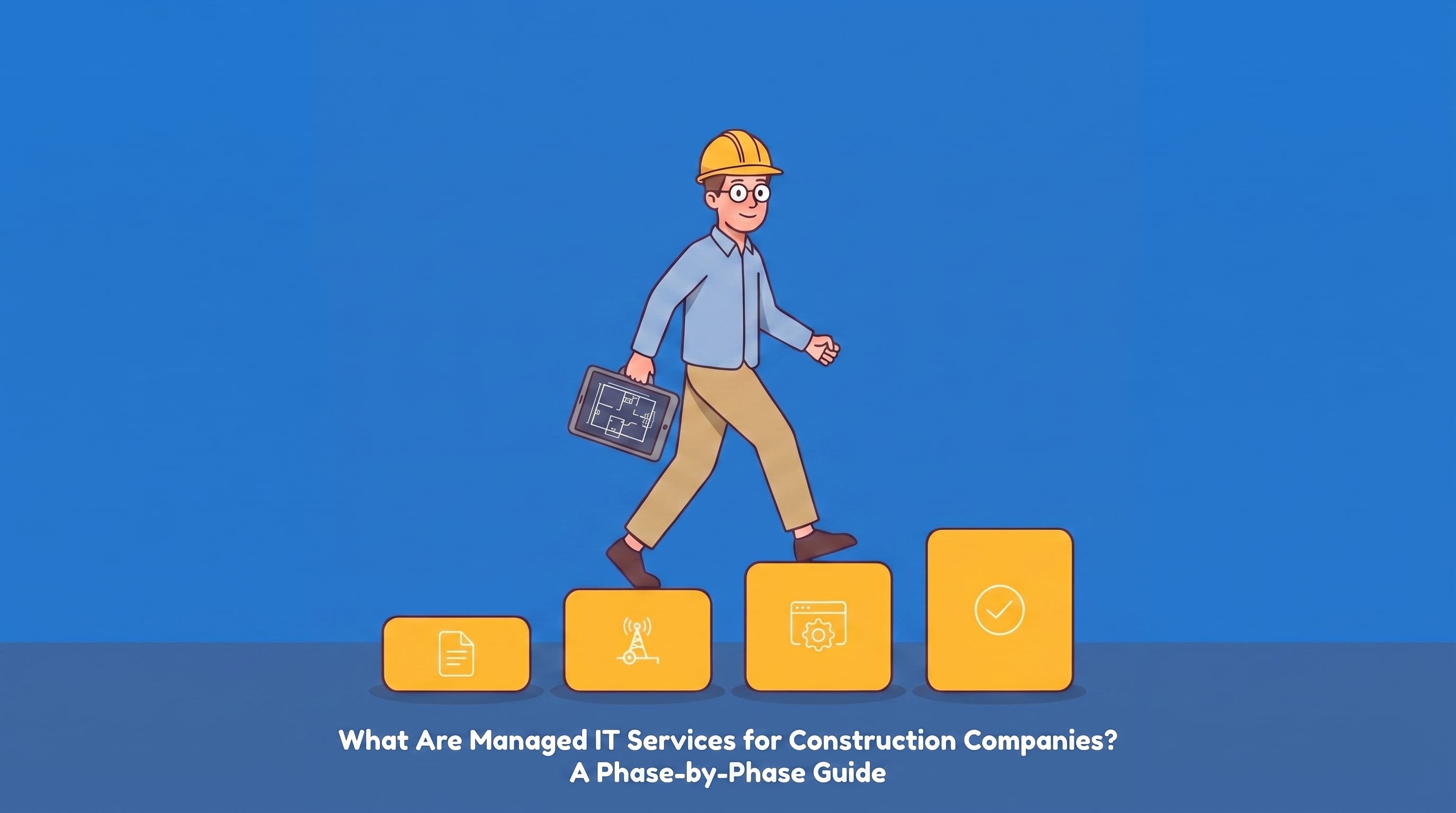
Phase 1: Bid and preconstruction
Every construction technology failure has a dollar figure attached, but bid-phase failures have the biggest one: the whole contract.
Your estimators live in Bluebeam and your takeoff tools during a bid window. A workstation crash an hour before a 2pm deadline is the difference between submitting and explaining. Managed IT's job in this phase is uptime where it counts: monitored, maintained estimating workstations, backed-up bid files, and a help desk that answers in minutes when the clock is running.
This phase is also where the security threat is sharpest. Construction is now one of the most heavily targeted industries for ransomware, with 481 construction organizations posted on ransomware leak sites in 2024, up 41 percent from the year before. The most common way in is a phishing email dressed up as the documents your team opens every day: a bid invitation, a sub's quote, a change order. Security awareness training and email threat protection matter more in construction than in most industries for exactly this reason. Your PMs open attachments from strangers as a job requirement.
Phase 2: Mobilization
The office moves. That's the part of construction IT that generic providers never plan for.
Every new job means a trailer or a temporary field office that needs connectivity on day one, not week three. A construction-ready managed IT provider plans this the way you plan a site logistics map: the right mix of cellular failover, mesh Wi-Fi, and managed routers for that specific site, so a dead zone in the trailer never stops a crew from pulling up a drawing or an RFI.
Mobilization is also when people and devices flood onto the job. New field hires, subcontractors who need access to the project management platform, tablets and laptops headed for the site. Managed IT handles provisioning and, just as important, access control: subs get what they need for this job and nothing else, and every device that goes to the field can be locked or wiped remotely if it disappears from a truck.
Phase 3: Active build
This is the longest phase and the one where IT problems disguise themselves as schedule problems.
The updated plans aren't where they're supposed to be. A sync fails between the field and the office, and a crew builds off a superseded drawing. A project management tool hangs at the worst moment. None of these show up as error messages; they show up as rework, standing time, and burned float.
During the active build, a managed IT provider earns its fee in three ways. Monitoring that covers jobsite equipment and connections around the clock, not just the office server room, because pours happen at 5am and crews work Saturdays. Fluency in your actual software stack, so the person answering your call troubleshoots Procore or Fieldwire instead of asking your superintendent to spell it. And fast response, measured in minutes, because on an active job the meter on downtime runs somewhere between $8,000 and $74,000 per hour for small and midsize firms.
Phase 4: Closeout and handover
When the job ends, the data doesn't. As-builts, RFIs, punch lists, job cost records in Sage 300 CRE or Viewpoint Vista, warranty documentation: this is what protects you in a dispute and wins you the next negotiated contract.
Closeout is where backup and retention practices get tested. A construction-ready provider archives project data so it's recoverable years later, and handles the other half of the job nobody talks about: offboarding. Subs and temporary labor roll off, and their access needs to roll off with them. Orphaned accounts from a job that ended two years ago are one of the quietest security holes in the industry.
What do managed IT services cost for construction companies?
Most providers make you sit through a sales call to hear a number. Here's a picture of the market instead.
National MSPs that publish pricing for construction clients generally land between $150 and $230 per user per month depending on the security tier. Endsight's managed IT services run from $60 to $350 per user per month, with the range driven by the same factors that drive any construction estimate: headcount, number of active sites, how much security and compliance coverage you need, and whether you want us handling everything or working alongside an internal IT person.
The structural point matters more than the exact number. Managed IT should be a predictable monthly line item, the kind of cost you can carry into a bid. The alternative, break-fix billing, is the IT equivalent of cost-plus with no ceiling: quiet months feel cheap, and then one bad week erases a year of savings.
How to choose a provider: the jobsite test
Every MSP's website says they're responsive and proactive. Skip the brochure language and ask three questions that can't be answered with a platitude:
"A trailer on our new site has no reliable signal. What exactly do you do?" A construction-ready provider talks about cellular failover and site surveys. A generic one talks about submitting a ticket.
"A tablet logged into Procore went missing from a truck this morning. Walk me through the next hour." The right answer involves remote lock and wipe that was set up before the tablet ever left the office.
"Our estimator's machine died 90 minutes before a bid deadline. What's your response time?" If they won't commit to a number, you have your answer.
Then check the references the way you'd check a sub's: named clients, in your industry, in your region.
Where Endsight fits
We support construction companies across the San Francisco Bay Area, Sacramento, Napa Valley, Sonoma County, San Diego, and Orange County, with help desk response in five minutes or less and a team that works in Procore, Bluebeam, PlanGrid, and Buildertrend every week. If you want the full picture of how we handle the four phases above, our IT support for construction companies page covers services, response times, and what our construction clients say.
Frequently asked questions
What are managed IT services for construction companies?
Managed IT services for construction companies means outsourcing technology management to a provider for a predictable monthly fee, covering help desk support, cybersecurity, backup, jobsite connectivity, and construction software like Procore and Bluebeam. The construction-specific part is field coverage: trailers, mobile devices, and crews working somewhere new every few months.
How do I know if my current IT provider isn't a good fit for my construction firm?
The clearest signs: they don't know your software, so every Procore or Bluebeam call starts with an explanation; jobsite connectivity is treated as your problem instead of theirs; response times stretch to hours while crews stand around; and the same issues recur monthly without anyone asking why. A provider built for office-only businesses will keep treating your field operations as an edge case.
What does managed IT cost for a construction company?
Published market rates from national providers run $150 to $230 per user per month. Endsight's plans range from $60 to $350 per user per month depending on headcount, number of active sites, and the level of security and compliance coverage. The structure matters as much as the rate: a predictable monthly fee you can budget into a bid, instead of unpredictable break-fix invoices.
Can managed IT support jobsite trailers and field crews, or just the office?
A construction-ready provider covers both. That means designing connectivity for each site (cellular failover, mesh Wi-Fi, managed routers), managing the tablets and laptops that travel with crews, and monitoring field infrastructure around the clock. If a provider's plan only mentions your office network, they're only covering half your company.
What should a construction firm look for when switching IT providers?
Industry software fluency, a written response-time commitment, a jobsite connectivity plan, device management for field hardware, and named construction references in your region. Also ask how they handle a transition around active jobs; a good provider migrates systems without taking Procore, scheduling, or payroll offline mid-project.
Keep your projects on track
If the four phases above read like a list of things your current provider has never mentioned, that's worth a conversation. See how we support construction companies, or if you'd rather talk it through, let's talk.


 Industries
 Geographies
 Architecture
 Construction
 Law Firms
 Nonprofit
 Wineries
 Finance
 IT Support Services
 Cyber Security Services
 Apps, Analytics & A.I.
 IT Help Desk
 IT Strategy
 Fin. Tech
 Microsoft 365
 IT Procurement
 IT Projects
 IT Administration
 Microsoft Teams Voice
 Managed Backup
 MSSP
MSSP
 Training
 Office Hours
 Security Shorts
 Artificial Intelligence
 Dashboards
 Workflows
 Integrations
 Custom Applications
 Core values
 Client testimonials
 Articles
 Helpful Resources
 Endsight team
 Awards
 Vendor partners
 Webinar Library
/jclause.jpg)
-1.png)